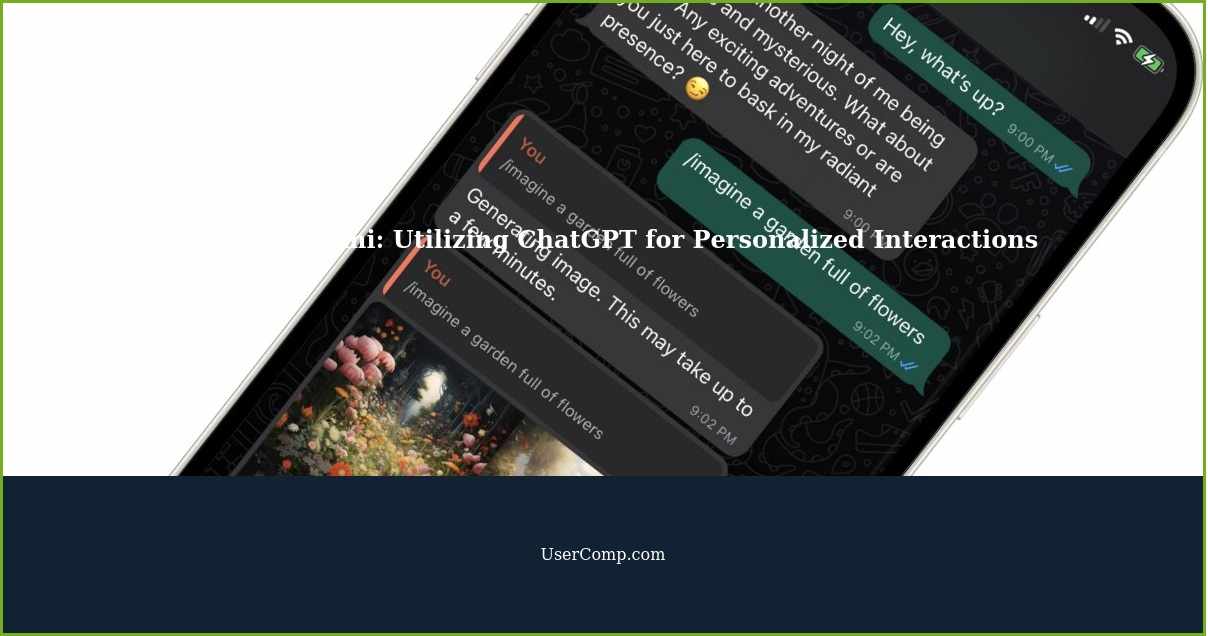
What is Cami or HeyCami?
Cami or HeyCami is a chatbot that you can use through ChatGPT. It is an AI-powered bot that operates similarly to other alternatives like LuzIA. With Cami, you can utilize certain AI engines within the messaging application.
How does Cami work?
Cami is a chatbot for WhatsApp and Line. This means that you can chat with it just like any other contact, but instead of a person on the other side, there is an AI-powered automation. You can write to Cami, and the bot will analyze your message and generate a response.
Customizing the AI
The main feature of Cami is that you can customize the AI. This means that you don't have to interact with a standard automation, but you can make it act like any character you want and ask it to use different personalities. You can make it speak like your partner, a trusted friend, a psychologist, or anything else you desire. Cami will adopt the role you assign and modify its responses to match the requested way of speaking or writing.
Multiple AI Engines
Cami utilizes various AI engines, including GPT-4, GPT-3.5, Stable Diffusion, and Whisper. These engines are combined into a single bot to offer different types of interactions. With the GPT engine, you can write to Cami in multiple languages, and it will respond in the same language. The integration of Stable Diffusion allows you to ask Cami to draw images based on your descriptions. With Whisper, you can interact with voice messages, enabling Cami to respond to both text and audio messages.
How to use Cami
To use this chatbot, you need to visit the official website heycami.ai. On the homepage, you will find a "Start for Free" section with a button to initiate the chat on WhatsApp or Line. Clicking on the button will open the application on your mobile or PC and directly connect you with the bot.
Once the chat opens, simply greet the bot in your preferred language. Cami will recognize your language and respond accordingly. Initially, it will provide you with some basic commands to configure it. For example, it will explain how you can set its personality and request it to create drawings.
From there, it's up to you to start interacting with Cami as you wish. You can ask questions, request it to write things for you, or ask it to create drawings. If you need ideas on what you can do with this bot, you can check out our articles on ChatGPT and Bing Chat functions, as they are based on GPT-3.5 and GPT-4, respectively.